
Holiday gift guide: which devices to give at which age
It's the time of year when the wish list gets specific. "Everyone has a phone." "Can I have my own iPad?" "Just a watch, so you can call me."
If you're weighing a first device this holiday season, you're probably asking two questions: which kind of device fits my kid right now, and is there a right age for a first smartphone?
Here's the short answer from pediatricians: there's no magic age. There's a better question, and a few device types that fit different stages. This guide walks through both, and what to set up before anything goes under the tree.
Is there a right age for a first phone?
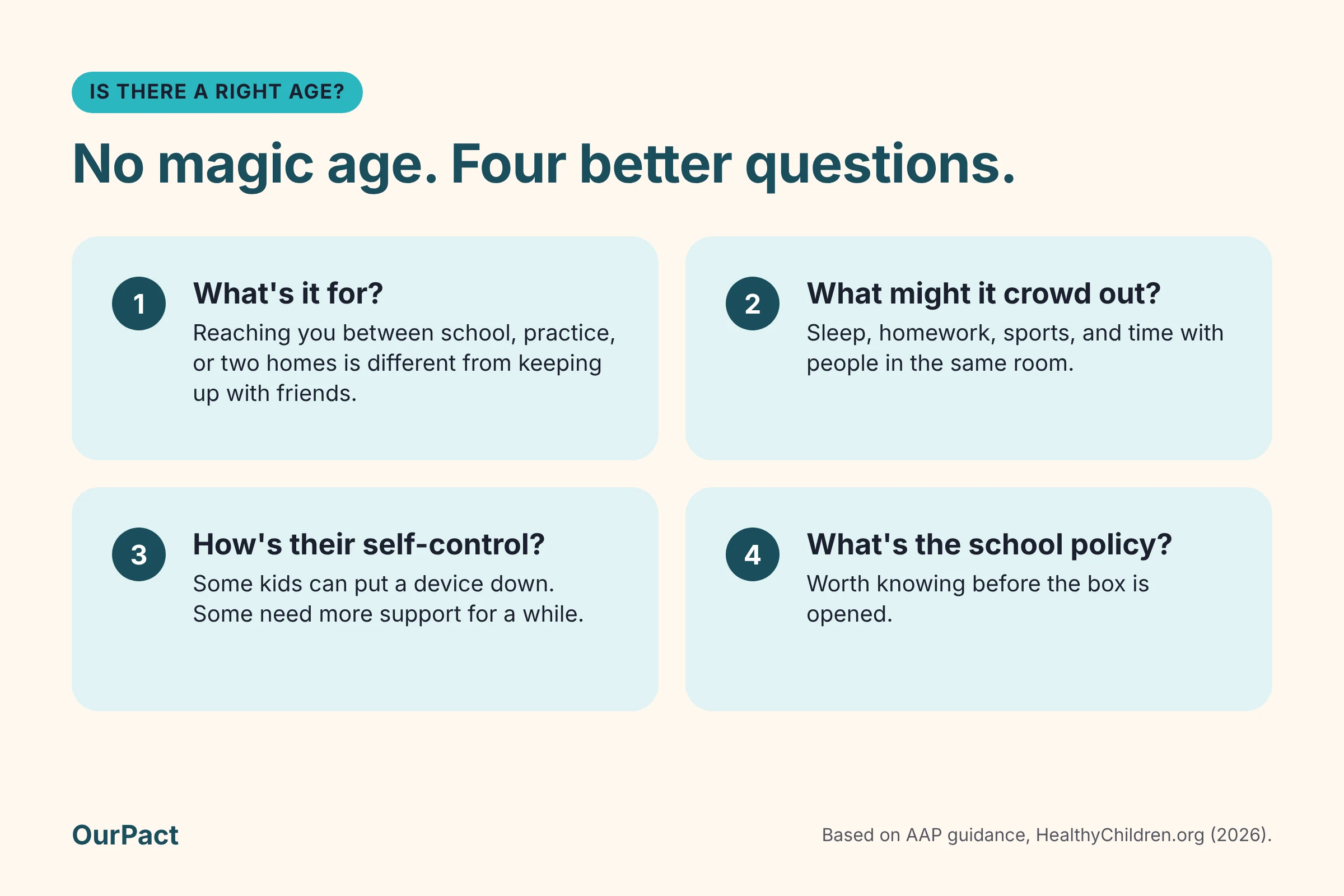
Not one that research agrees on. In the words of the American Academy of Pediatrics (AAP), "Overall, research doesn't point to one perfect age when kids are ready for a smartphone" (AAP).
Instead, the AAP suggests weighing a few things (HealthyChildren.org):
- What it's for. Reaching you between school, practice, or two households is a different need from keeping up with friends.
- What it might crowd out. Sleep, homework, sports, and time with people in the same room.
- How your child handles self-control. Some kids can put a device down. Some need more support for a while.
- Your school's phone policy. Worth knowing before the box is opened.
If you'd like a structured way to think it through, the AAP and AT&T built a free 10-question tool called PhoneReady. Its framing is a good one to keep in mind: "This decision is not just about age."
And if you land on "not yet," the AAP is clear: "If you and your child decide that they are not ready for a phone, that's OK too."
What the age 12 research found
You may have seen headlines about kids and phones at 12. A large U.S. study published in Pediatrics used data from more than 10,500 children in the Adolescent Brain Cognitive Development (ABCD) Study. It found that owning a smartphone at age 12 was associated with depression, obesity, and not getting enough sleep, compared with peers who didn't have one (AAP news release).
That's a link, not proof that phones caused those outcomes. It doesn't mean a phone at 12 is a mistake. It does add to the case for choosing the timing on purpose, and for setting the phone up with care.
Which device fits which age
Every family is different, so treat these as starting points, not rules. We've left prices out on purpose: they change week to week during gift season, so check the maker's own store when you buy.
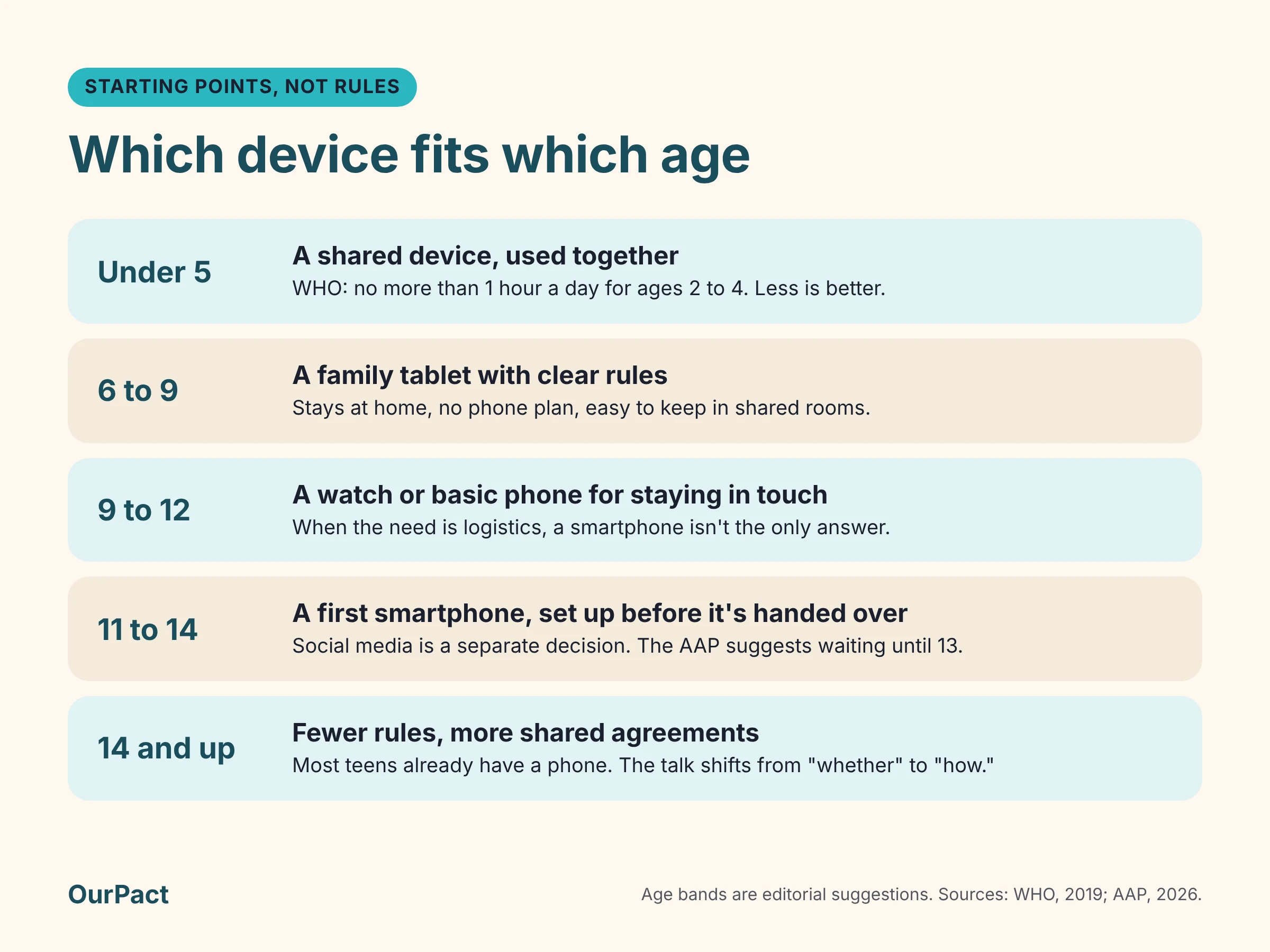
Under 5: a shared device, used together
For the youngest kids, the question isn't really "which device" but "how much." The World Health Organization recommends no sedentary screen time for babies and 1-year-olds, and no more than one hour a day for ages 2 to 4, noting that less is better (WHO).
That makes a shared family tablet, used together and kept in common spaces, a better fit than a device of their own.
Ages 6 to 9: a family tablet with clear rules
This is often the age of the first "my own iPad" request. A tablet can be a good middle step: it stays at home, it doesn't need a phone plan, and it's easy to keep in shared rooms.
The AAP points to a tablet with supervised messaging, video chat, or invitation-only gaming as one option that can fit younger kids better than a smartphone. Decide up front where it lives, when it's used, and where it charges at night.
Ages 9 to 12: a watch or basic phone for staying in touch
When the need is logistics (walking home, after-school activities, a second household), a smartphone isn't the only answer. The AAP suggests a basic phone or a watch as options that may fit better at younger ages.
If your family uses iPhones, an Apple Watch can be set up and managed from your own iPhone with Apple's Family Setup. It needs a cellular model, and some features need a cellular plan (Apple Support). Watches use their maker's own parental settings rather than a parental control app like OurPact.
Ages 11 to 14: a first smartphone, set up before it's handed over
If you decide your child is ready, this is when setup matters most. The AAP's advice is to set up parental controls and limits together, explain the reasons, and loosen them as your child shows responsibility.
Two decisions are worth separating here. A phone doesn't have to come with social media. The AAP recommends families "delay access to social media until age 13 as the risks tend to outweigh the benefits," and suggests deciding about the phone and about social apps separately.
Ages 14 and up: the phone they probably already have
By the teen years, most kids already have a phone: 95% of U.S. teens ages 13 to 17 have or have access to a smartphone at home (Pew Research Center, 2024).
For teens, the gift might be an upgrade, and the conversation shifts from "whether" to "how." Fewer rules, more shared agreements, and a plan to hand over more control as they head toward adulthood.
A note on consoles, laptops, and other screens
Gaming consoles, laptops, smart TVs, and e-readers each come with their own parental settings, and they're worth setting up the same day. OurPact doesn't manage those devices, so use the built-in settings from each maker.
Before you wrap it: a quick setup checklist
A little setup before the big morning means fewer negotiations after it.
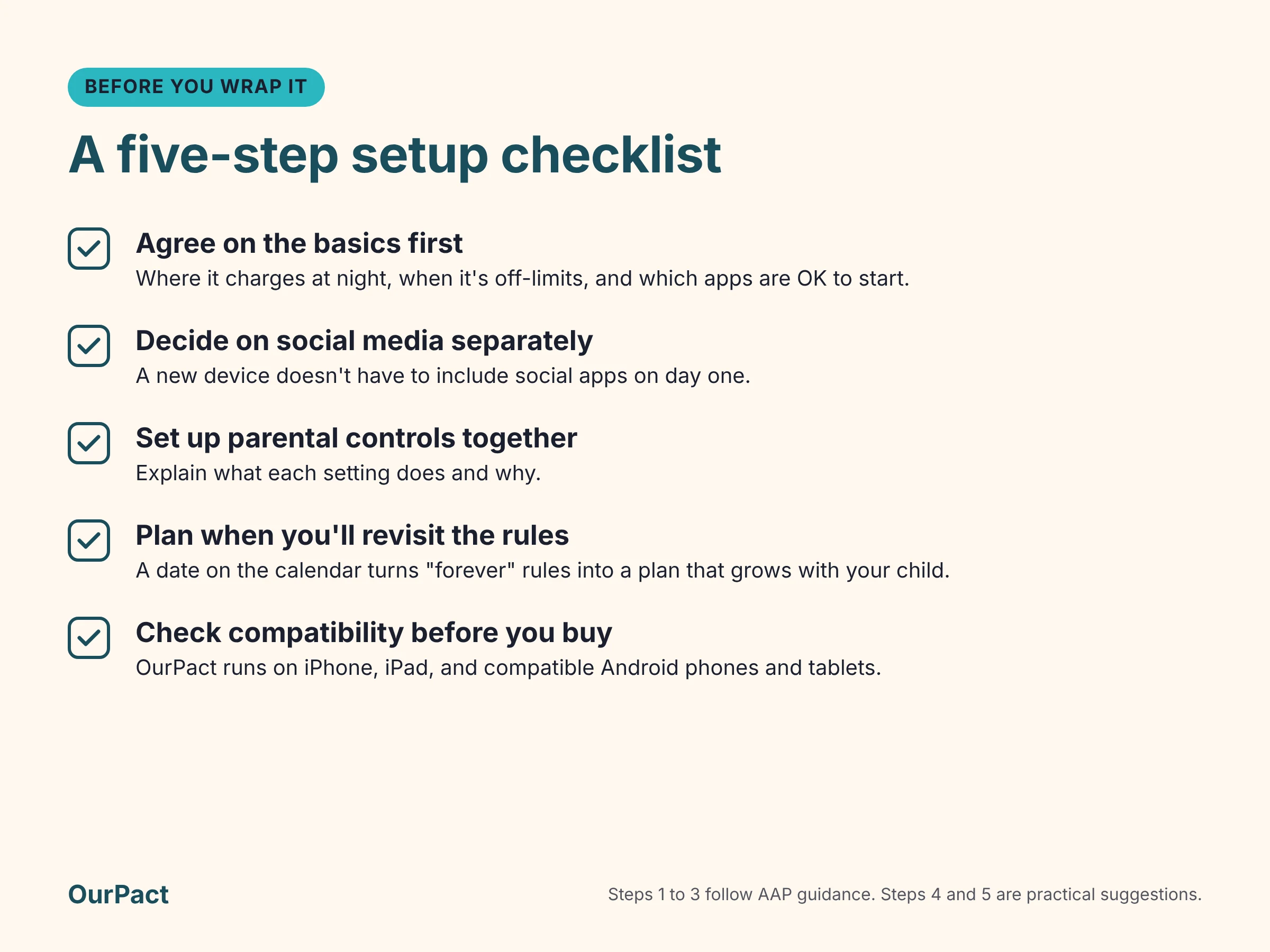
- Agree on the basics first. Where the device charges at night, when it's off-limits (meals, homework, bedtime), and which apps are OK to start. The AAP recommends writing this down as a family media plan. The OurPact Family Media Pact is a worksheet based on AAP recommendations that you can copy and make your own.
- Decide on social media separately. A phone or tablet doesn't have to include social apps on day one.
- Set up parental controls together. Explain what each setting does and why. Kids are more likely to respect rules they understand.
- Plan when you'll revisit the rules. A date on the calendar, like the start of the next school term, turns "forever" rules into a plan that grows with your child.
- Check compatibility before you buy. If you plan to use a parental control app, confirm it supports the exact device. For OurPact, that means an iPhone, an iPad, or a compatible Android phone or tablet (more on that below).
Ready to set it up? Our new phone setup checklist walks through accounts, pairing OurPact on iPhone, iPad, or Android, and the first rules, step by step.
How OurPact helps
Whatever you give, the hard part isn't the unboxing. It's the hundredth "five more minutes" in February. OurPact helps you turn the rules you agree on into routines that run on their own, so you're not resetting them every night.
- Schedules: Recurring schedules limit app access during homework, meals, and bedtime.
- App Rules: Block, allow, or schedule individual apps, so a new phone can start with just the apps you've agreed on.
- Daily screen time allowance: Give a set amount of screen time each day, so kids can practice managing it themselves.
- Instant Block and Grant: Pause access with a tap at dinner, or grant extra time when the day calls for it.
- Family location: See where your child's device is, and get an alert when they arrive at or leave places like school or practice.
Works across the family's devices. OurPact runs on iPhone, iPad, and Android phones and tablets, all from one parent app (see how it works across devices). Not every Android phone is compatible: the OurPact help center lists brands that aren't supported, including Motorola, OnePlus, and Xiaomi, so check before you buy. OurPact doesn't manage Kindle Fire tablets, smartwatches, consoles, or computers. If you're considering a phone made specifically for kids, check with that maker and with OurPact support before counting on OurPact for it.
An honest note for iPhone and iPad. On iOS 26 and later, a child can remove OurPact's management profile, and OurPact can't prevent it. If that happens, OurPact sends you an in-app notification and an email, so it can't happen quietly. That's one more reason to set the rules together, so the device feels like part of a family agreement rather than a puzzle to solve.
The best gift is a good start
There's no perfect age and no perfect device. There's the device that fits your child right now, and a plan you've talked through together. Start smaller than you think you need to, set things up before the big day, and loosen the rules as your child shows they're ready.
If a new phone or tablet is on your list this year, try OurPact free for 14 days, or start with the free plan for one child's device.
Frequently asked questions
What age should a child get their first phone?
There's no single right age. The AAP says research doesn't point to one perfect age, and suggests looking at your child's maturity, what the phone is for, and what it might crowd out. A watch or basic phone can be a good first step for younger kids.
Is a tablet or a phone better for a first device?
For younger kids, a shared tablet that stays at home is often an easier start. It doesn't need a phone plan and it's simple to keep in common rooms. A phone makes more sense when your child needs to reach you while away from home.
Should a first phone come with social media?
It doesn't have to. The AAP recommends waiting until 13 for social media and deciding about it separately from the phone itself.
Does OurPact work on every device?
OurPact works on iPhone, iPad, and compatible Android phones and tablets. It doesn't manage gaming consoles, computers, Kindle Fire tablets, or smartwatches. Some Android brands aren't supported, so check the help center list before you buy.
Can my child remove OurPact from an iPhone?
On iOS 26 and later, yes, a child can remove the management profile, and OurPact can't stop it. You'll get an in-app notification and an email if it happens.
References
1. Radesky J. Your child's first phone: are they ready? HealthyChildren.org, American Academy of Pediatrics. Updated June 3, 2026. https://www.healthychildren.org/English/family-life/Media/Pages/Cell-Phones-Whats-the-Right-Age-to-Start.aspx
2. American Academy of Pediatrics, Center of Excellence on Social Media and Youth Mental Health. Appropriate age to introduce a mobile device. October 22, 2026. https://aap.org/en/patient-care/media-and-children/center-of-excellence-on-social-media-and-youth-mental-health/qa-portal/qa-portal-library/qa-portal-library-questions/appropriate-age-to-introduce-a-mobile-device
3. American Academy of Pediatrics and AT&T. PhoneReady questionnaire. HealthyChildren.org. Updated November 19, 2024. https://healthychildren.org/English/family-life/Media/Pages/phoneready-questionnaire.aspx
4. American Academy of Pediatrics. Early adoption of smartphones associated with depression, obesity, and insufficient sleep. News release, December 1, 2025 (study in Pediatrics, January 2026). https://www.aap.org/en/news-room/news-releases/pediatrics2/2025/early-adoption-of-smartphones-associated-with-depression-obesity-and-insufficient-sleep/
5. Pew Research Center. Teens, Social Media and Technology 2024 (topline). December 12, 2024. https://pewresearch.org/wp-content/uploads/sites/20/2024/12/PI_2024.12.12_Teens-Social-Media-Tech_TOPLINE.pdf
6. World Health Organization. To grow up healthy, children need to sit less and play more. April 24, 2019. https://www.who.int/news/item/24-04-2019-to-grow-up-healthy-children-need-to-sit-less-and-play-more
7. Apple Support. Set up Apple Watch for a family member. https://support.apple.com/en-us/109036
8. OurPact Help Center. What kind of devices does OurPact work with? https://support.ourpact.com/hc/en-us/articles/360059351793-What-kind-of-devices-does-OurPact-work-with

Related Blog Posts



Manage Screen Time. Protect Your Family. Stay Connected.
OurPact makes digital parenting simple. Set app schedules, block distractions, and guide your kids toward smarter tech use, all in one easy-to-use app.